
CALLシステム
CaLabo® EX 《キャラボ イーエックス》
Everything You Need to Run a CALL Classroom
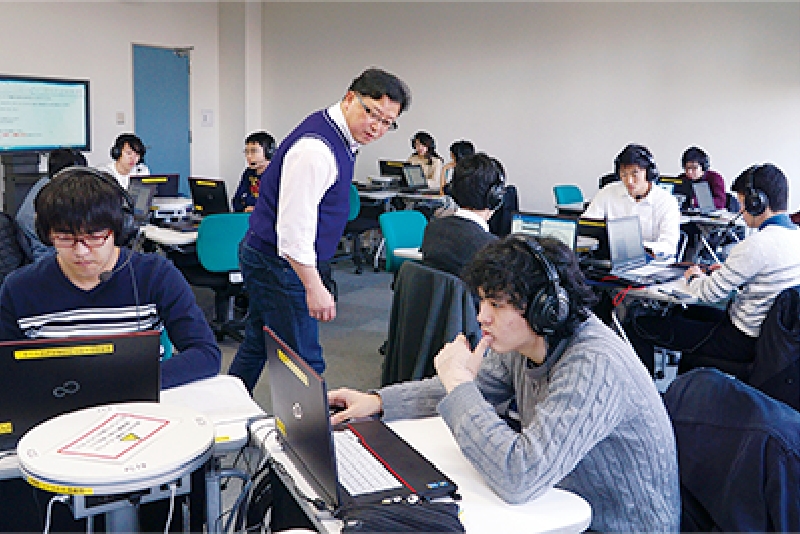
The system is equipped with CALL classroom functions—file distribution/collection/submission; remote operation; operation lock; and batch management of computer power supply—as well as common language education functions—the use of audio and video learning materials; monitor; intercom; model, and conversation. ensuring smooth lessons and classroom management.
Dual monitor system for ease of operation
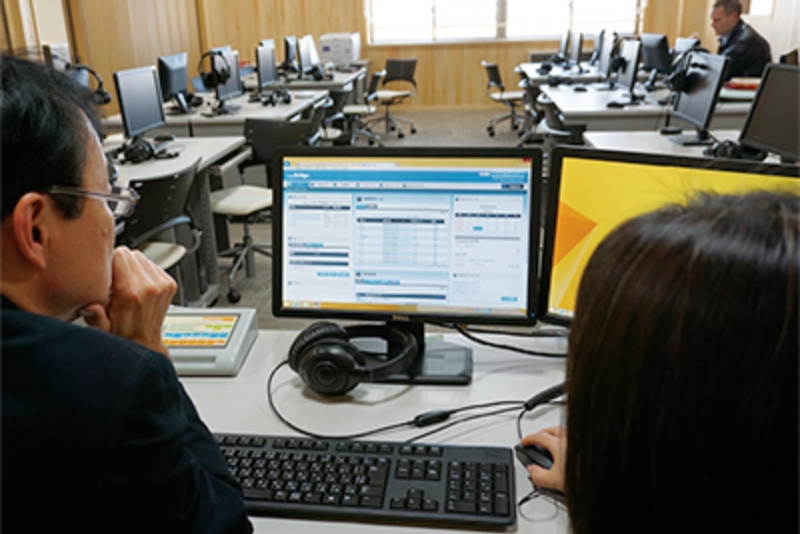
Teachers PC uses a dual-monitor setup, with the Windows desktop on one screen and the CaLabo EX control panel on the other.
Teachers uses a single mouse and keyboard setup for the two screens.
Drag-and-drop operation
Teachers can open video and audio files by drag and drop to distribute them to students.
Video and audio import
Video files from audiovisual equipment, such as DVD and VHS decks, as well as USB cameras can be distributed and recorded.
Subtitle creation
Students can also type text to create subtitles. Subtitles can be saved in SAMI or text file format.
Simultaneous collection and batch saving of audio recordings
Teachers can collect all students’ recordings at once, while copies are also saved on each student’s PC.
Take-home learning
Students can take home not only a set of video and audio files but also the entire Movie Teleco unit on a USB flash drive, to continue learning at home with the same ease of operation as in the classroom.
Use of video websites
Teachers can specify the URLs of video sites such as “YouTube” and “TED Talks” and use them as teaching materials.
Students recording function
This function allows each students to record oneself through a webcam for observing mouth movements.
Stereophonic sound recording
When recording the user’s voice, the sound from the teaching material and the voice through the microphone are recorded and saved separately in the left and right channels.
Contact
お問い合わせ
製品の実物を見てみたい、費用を知りたい、導入までの流れを知りたいなど、
どんなご要望でもお気軽にお問い合わせください。